
















































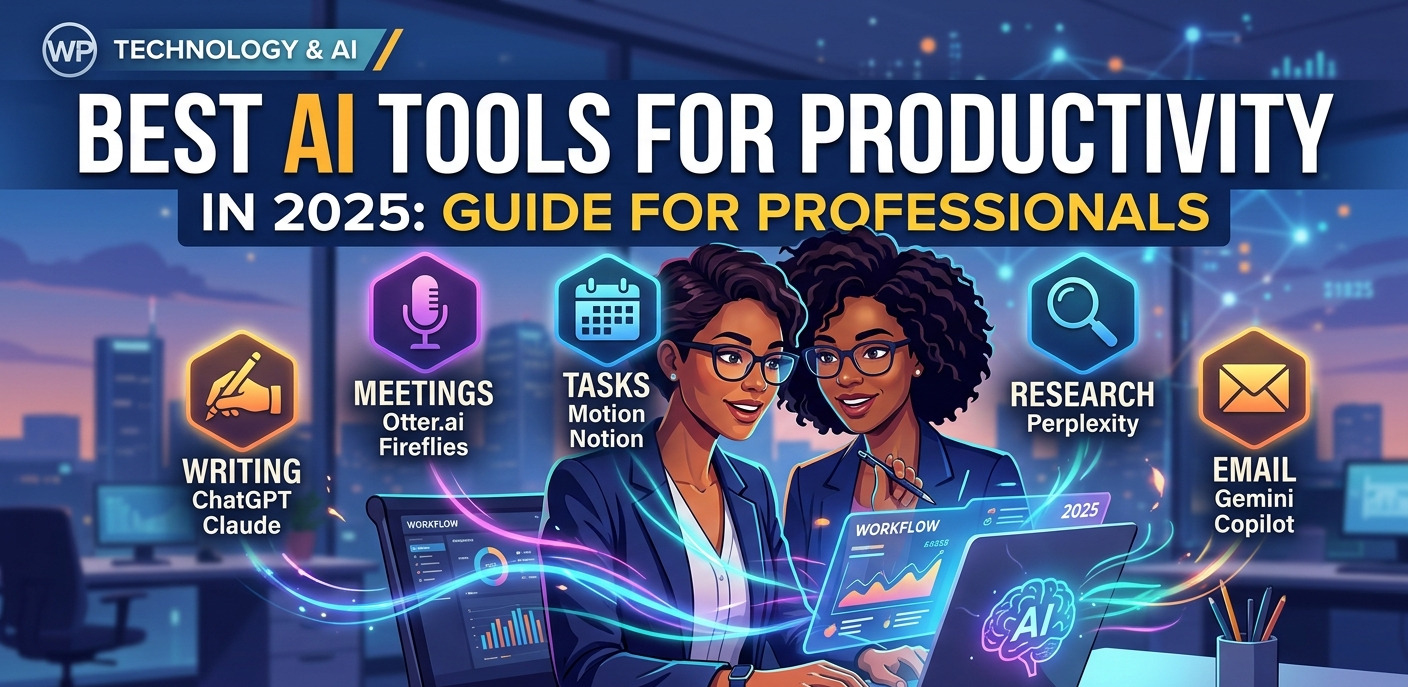
Best AI Tools for Productivity in 2025: A Complete Guide for Professionals

Artificial intelligence is no longer a concept reserved for tech giants and research labs — it has quietly become one of the most powerful assets in the modern professional’s toolkit. Whether you’re a solo freelancer trying to squeeze more out of a packed schedule, a small business owner wearing too many hats, or a corporate team lead managing complex workflows, AI tools for productivity are changing what’s possible in a single workday. But with hundreds of tools flooding the market, knowing which ones actually deliver — and which are all hype — can feel overwhelming. This guide cuts through the noise. Below, you’ll find a carefully curated breakdown of the best AI productivity tools available in 2025, what they do best, and how to make them work for your specific situation.
Why AI Productivity Tools Are Worth Your Attention in 2025
A few years ago, AI tools were impressive demos. Today, they’re business-critical infrastructure. According to recent workplace surveys, professionals who regularly use AI tools report saving between 2 to 4 hours per day on routine tasks — that’s more than 20 additional working days per year, per person.
The productivity gains are real, measurable, and no longer limited to developers or data scientists. Writers, marketers, project managers, educators, lawyers, and even tradespeople are finding legitimate, practical value in tools that automate repetitive work, assist with complex thinking, and surface information faster than ever.
More importantly, the tools have matured. They make fewer embarrassing mistakes, integrate with the software you already use, and are priced accessibly — many with free tiers that are genuinely useful.
💡 Key Insight The biggest productivity gains from AI don’t come from replacing your work — they come from removing the low-value tasks that drain your time and mental energy, so you can focus on the decisions and creativity that actually move the needle.
The Best AI Tools for Productivity in 2025 (By Category)
Rather than ranking tools in a single list — which oversimplifies things — we’ve organized them by use case. Different professionals need different tools. Find your category and go deeper from there.
1. Writing & Content Creation
Writing is one of the most time-intensive tasks in any professional role, and AI has made remarkable progress in assisting with it — from first drafts and brainstorming to editing and SEO optimization.
- ChatGPT (GPT-4o): First drafts and outlines in seconds
- Claude by Anthropic: Long-form writing with research built in — ideal for bloggers and marketers
- Jasper AI: SEO-focused content with keyword integration and readability scoring
- Grammarly Business: Eliminates grammar issues and improves tone across all your writing
Pro tip: These tools work best when you treat them as a first-draft engine. Give them a detailed prompt with your audience, tone, and key points — then refine the output with your own expertise and voice. The result is faster production without sacrificing authenticity.
2. Meeting Management & Note-Taking
Meetings are one of the biggest productivity drains in professional life. AI tools in this space are solving a genuinely painful problem — and doing it well.
- Otter.ai: Transcribes, summarizes, and identifies action items from meetings in real time
- Fireflies.ai: Integrates directly with Google Meet, Zoom, and Teams — auto-sends recaps to all attendees
- Fathom: Exceptional accuracy on multi-speaker conversations and technical discussions
What makes these tools transformative isn’t just the transcription — it’s the automated summary and action item extraction. Teams that use meeting AI tools consistently report faster follow-through on decisions, because nothing falls through the cracks.
3. Task & Project Management
AI is also reshaping how professionals plan, prioritize, and delegate. The tools below go beyond traditional project management by predicting bottlenecks, auto-assigning tasks, and keeping everyone aligned.
- Motion: AI-powered task prioritization that learns your working style over time
- Notion AI: Surfaces the most important work automatically across connected projects
- ClickUp AI: Suggests automation workflows and helps teams eliminate repetitive manual processes
Motion, in particular, has built a loyal following among solo professionals and small teams. Its intelligent calendar blocking automatically reschedules tasks when your day changes — something that used to require significant manual effort.
4. Research & Information Management
Finding, synthesizing, and organizing information is a major time sink for knowledge workers. AI is now capable of doing in minutes what used to take hours.
- ChatPDF & Claude: Chat with your PDFs, research papers, and uploaded documents
- Perplexity AI: Real-time research synthesis with source citations — ideal for journalists and analysts
- Guru: AI-powered knowledge base that helps teams build and search internal documentation
Perplexity AI, in particular, has emerged as a compelling alternative to traditional search engines for research-heavy tasks. Rather than returning a list of links, it synthesizes answers from multiple credible sources and shows you exactly where the information came from.
5. Email & Communication
The average professional spends over two hours per day managing email. AI is starting to make a real dent in that number.
- Google Gemini in Gmail: Drafts email replies in your tone, summarizes long threads, and prioritizes your inbox
- Microsoft Copilot: Similar AI email features with deep integration across the Microsoft 365 ecosystem
- Superhuman: Writes, shortens, and translates messages in Slack and email with one click
How to Choose the Right AI Productivity Tool for You
With so many excellent options, the hardest part is often knowing where to start. Here’s a practical framework for making the decision without getting overwhelmed:
- Identify your biggest time drain. Where does your day disappear? Meetings? Email? Research? Start with the tool that addresses that one bottleneck.
- Start with free tiers. Almost every tool on this list has a free plan. Use it for two weeks before committing to a paid subscription.
- Check integrations. The best AI tool is one that fits into your existing workflow. A tool that requires you to change every habit rarely sticks.
- Measure actual time saved. Track your hours before and after. Real productivity improvement should be visible within 30 days.
The Real-World Impact: What Professionals Are Actually Saying
Adoption data tells one story. The lived experience of professionals tells another — and they largely align.
Marketing teams report using AI writing tools to triple their content output without adding headcount. Legal professionals are using AI research tools to prepare case briefs in half the time. Independent consultants say AI has allowed them to take on more clients without burning out. Educators are using AI to create differentiated lesson materials in minutes rather than hours.
The common thread? AI works best as an amplifier, not a replacement. The professionals getting the most value from these tools are the ones who bring their own judgment, expertise, and creative thinking — and use AI to handle the heavy lifting around it.
| ⚠️ A Word of Caution AI tools are powerful, but they’re not infallible. Always review AI-generated content before sending or publishing. For research tasks, verify key facts against primary sources. The professionals who get burned by AI are usually the ones who skip the review step. |
Frequently Asked Questions
Are AI productivity tools safe to use with sensitive business information?
Most enterprise-grade AI tools offer data privacy controls, SOC 2 compliance, and options to opt out of training data usage. That said, it’s important to read the privacy policy of any tool before feeding it confidential client information or proprietary business data. When in doubt, use anonymized or summarized inputs.
Do I need technical skills to use these AI tools?
No. The vast majority of AI productivity tools in 2025 are designed for everyday professionals — not developers. If you can use a web browser and type a message, you can use most of these tools effectively from day one.
Are the free versions of these tools actually useful?
Yes, for many users, the free tiers are surprisingly capable. ChatGPT’s free plan, Notion AI’s trial, and Otter.ai’s free tier all offer genuine value. The paid plans typically add higher usage limits, more advanced features, and priority access during peak times.
Will AI replace my job?
This is the question everyone asks, and the honest answer is nuanced. AI is replacing specific tasks, not entire jobs — at least for now. Roles that involve judgment, creativity, relationship management, and complex problem-solving remain deeply human. The professionals most at risk are those who refuse to adapt. Those who learn to use AI effectively tend to become more valuable, not less.
Final Thoughts: Work Smarter, Not Harder
The AI productivity revolution is well underway — and the gap between professionals who embrace these tools and those who don’t is widening every month. The good news is that getting started has never been easier or more affordable.
You don’t need to overhaul your entire workflow overnight. Pick one tool that addresses your biggest daily frustration, spend a week learning it properly, and measure the impact. That’s how the most productive professionals are approaching AI — one deliberate, well-integrated tool at a time.
The future of work isn’t about working more hours. It’s about working with better tools. And right now, those tools have never been more accessible.
Disclaimer: This article is for informational and educational purposes only. It is based on publicly available reports and policy updates. It should not be considered financial, investment, legal or business advice.